For CFOs, fund managers and family offices
Your portfolio, checked and ready for the board.
Haruno brings the books of the companies you oversee into one place. It checks them, works out the figures and prepares the reports your board reads.
- Every company on one page
- Cash, burn, runway and what needs attention.
- Figures you can stand behind
- Calculated by the financial engine, never by AI.
- Reports ready to send
- Statements, reconciliations and an investor report.
02Your data
Start from the data you already have.
Connect QuickBooks Online, or add the files your companies already send you. They don’t need to install anything.

More native integrations are on the way.
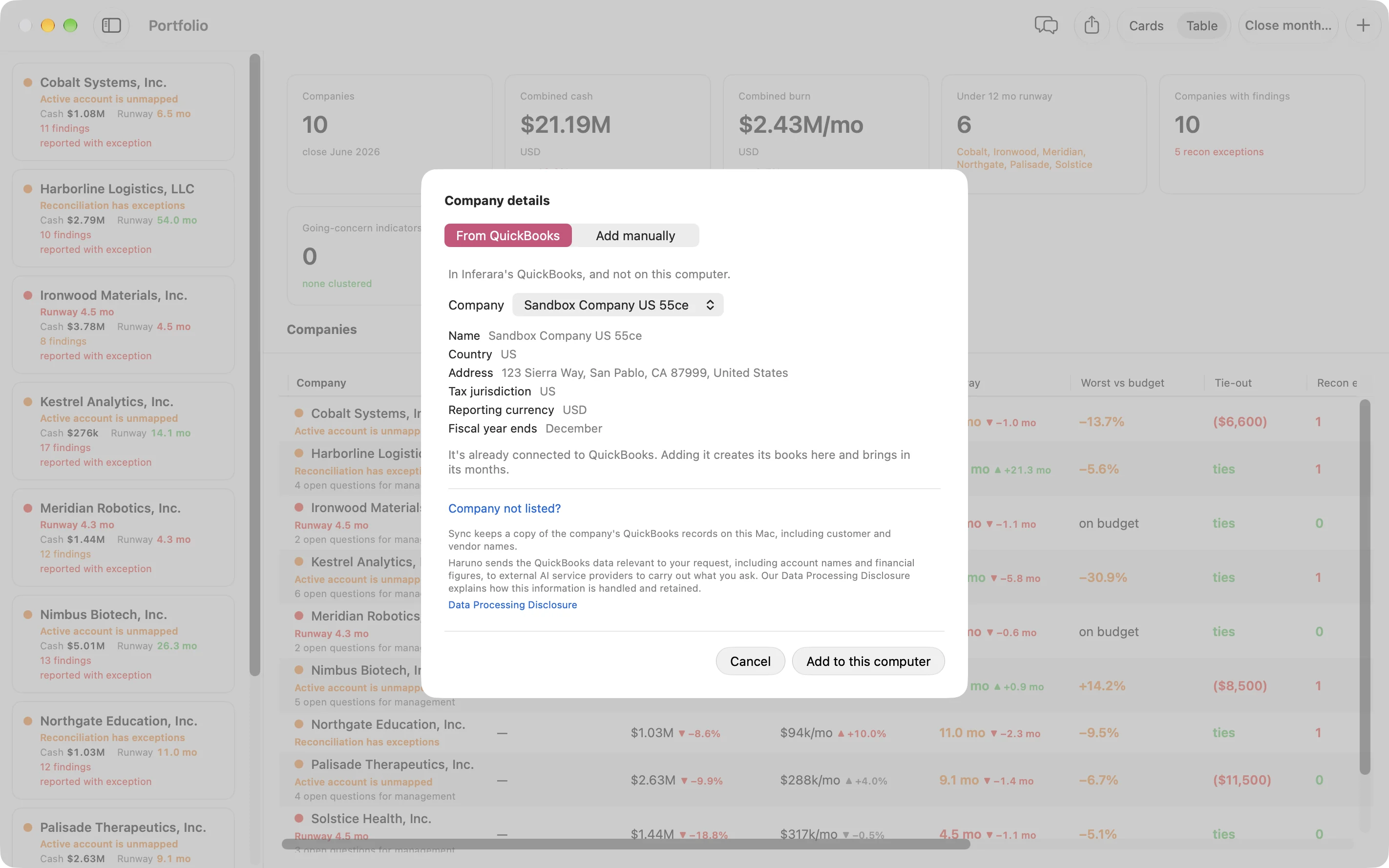
- Sign in through Intuit’s own page. The company’s last months come in at once.
- Each sync asks QuickBooks what changed and fetches only those months.
- Read-only. Haruno never changes anything in QuickBooks.
- Scheduled syncs, with an email summary that never includes amounts.
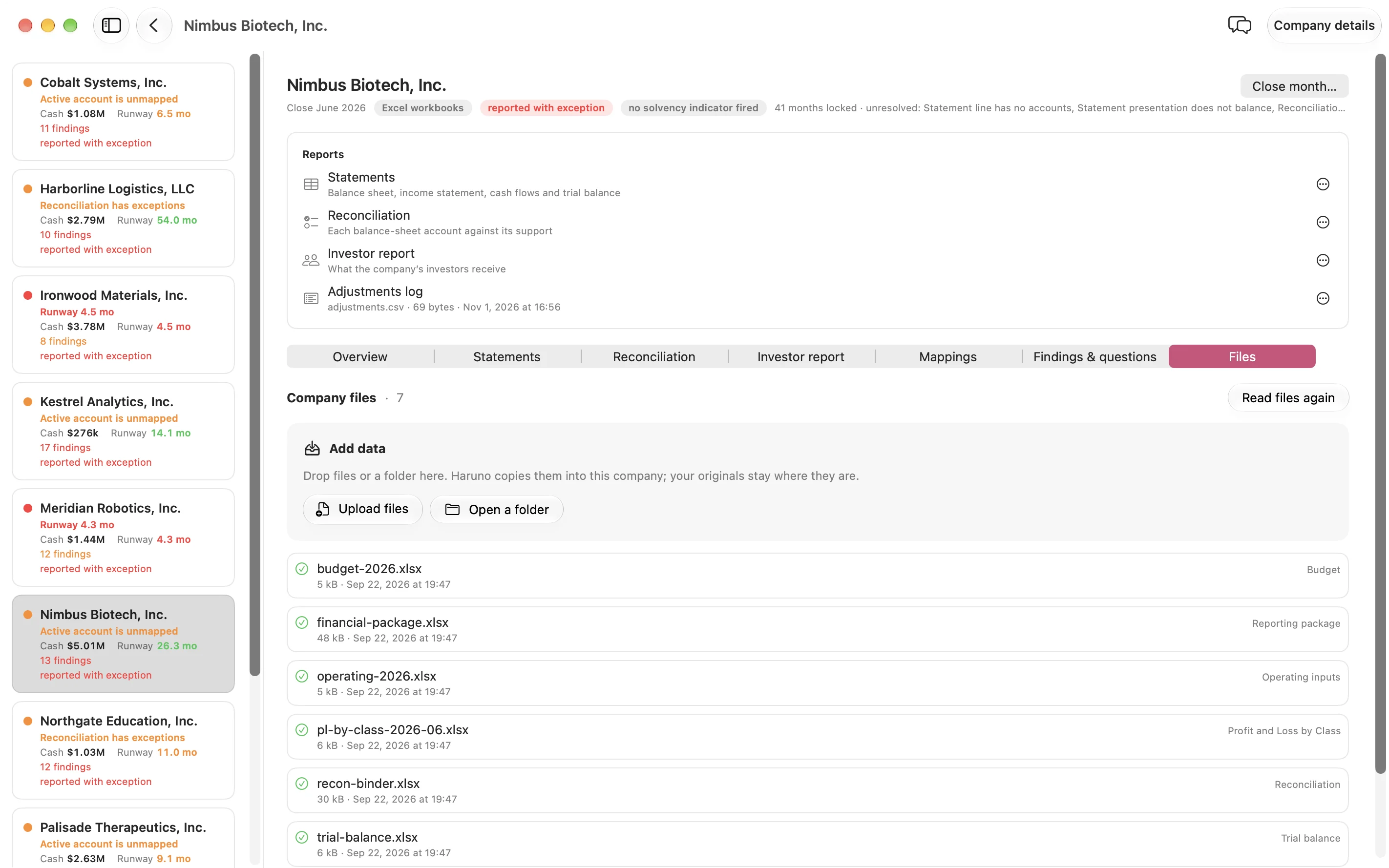
- Your own formats. If your companies report in Excel or PDF layouts specific to your firm, we set Haruno up to read them.
- Excel and CSV statements, trial balances, budgets, agings and reconciliation workbooks.
- Annual reports as PDF, read by code. Scanned pages included.
- Stripe invoice exports for MRR, ARR and churn.
- Haruno drafts the account mapping. You approve it once.
- When a line or a unit is unclear, Haruno asks instead of guessing.
More native integrations are on the way.
03Trust the numbers
The engine calculates. AI explains.
Every figure, check and report comes from Haruno’s financial engine. The same books always give the same figures, so you can put them in front of your board.
Traced to the books
Each figure comes from one ledger per company, through a mapping you approved.
A blank is not a zero
When a file is missing, Haruno says so. It never estimates a figure.
Reported months stay locked
A reported month reopens only with a written reason, kept in its history.
Reads the results to explain them.
Company books. Months synced from QuickBooks Online, exports and PDFs, kept on your computer.
Financial engine. Maps every account, posts it to one ledger per company and runs the checks. It is code, not an AI model, so the same books always give the same figures.
Figures, checks and reports. Every figure traces back to the ledger and the accounts behind it. A figure that needs a missing file shows a dash and the reason.
AI assistant. Reads the finished results to explain them, investigate a change or draft a note. Closing, reopening and approving stay with you.
04Portfolio
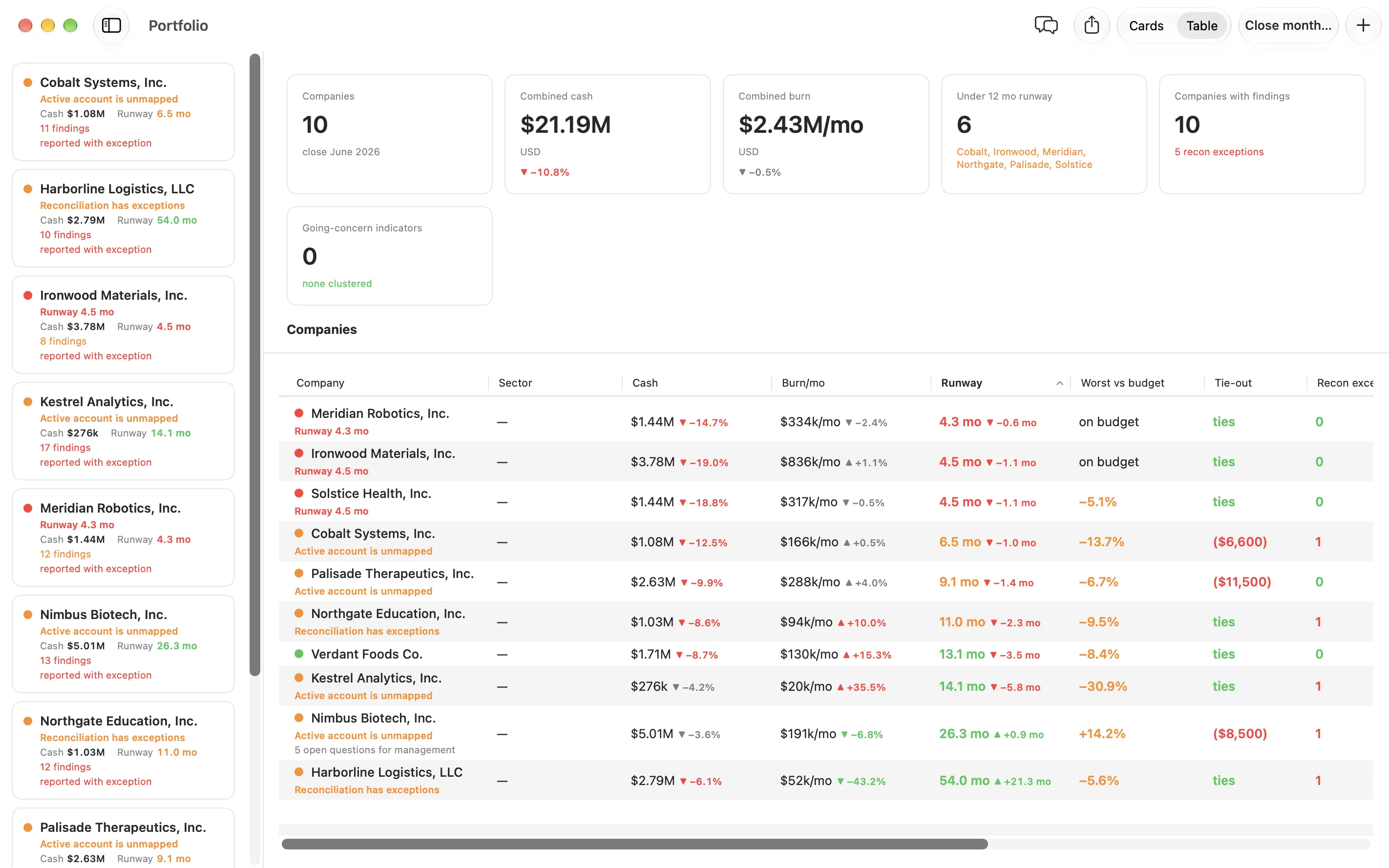
See every company on one page.
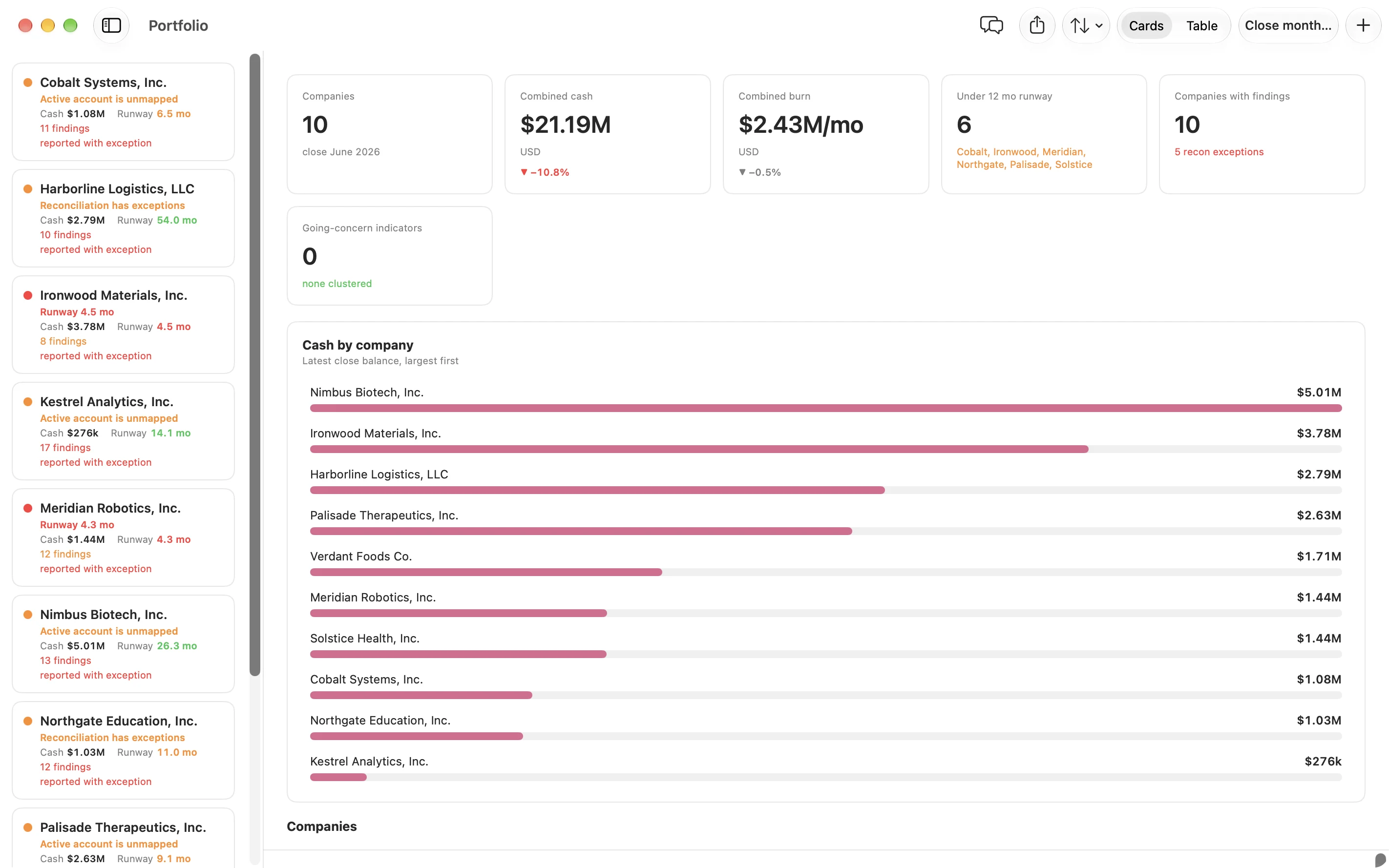
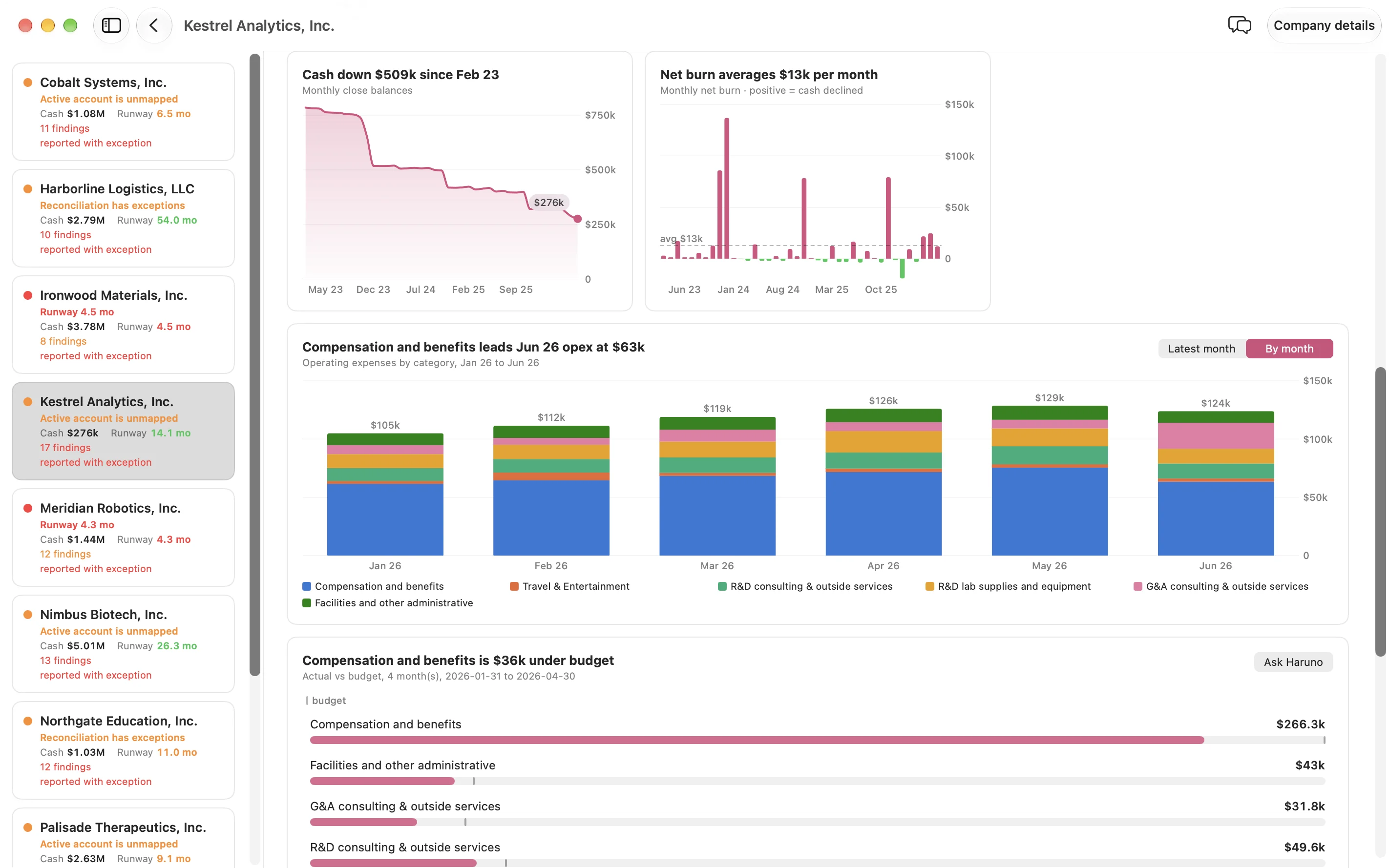
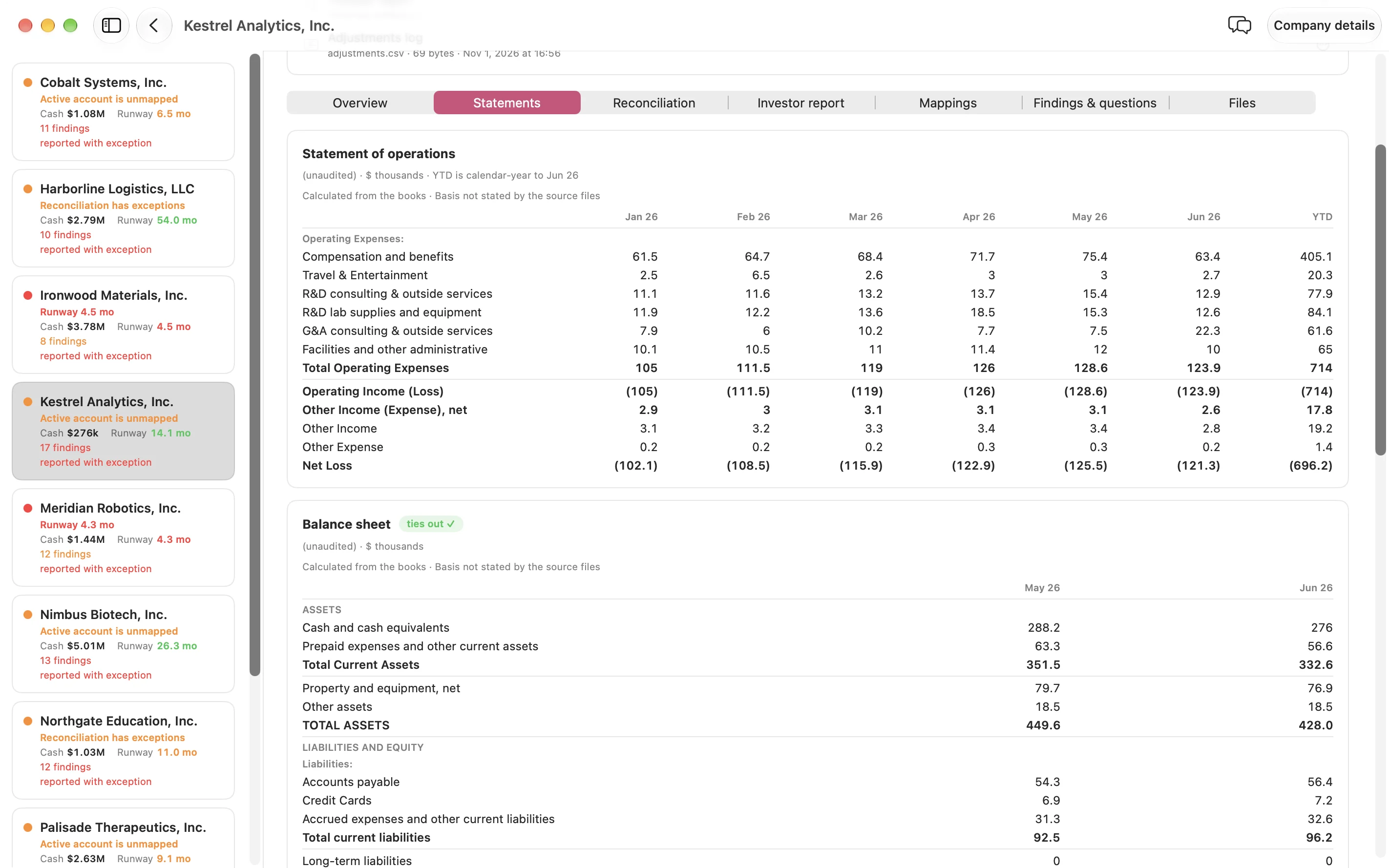
Cash, burn and runway for each company, and which ones need your attention this month. Open a company for its trends and statements.
Worked out at every close, for every company. Choose one to see what it means.
Cash. The cash balance at month end, from the accounts you confirmed as cash.
Each company keeps its own currency and fiscal year. Haruno reports going-concern indicators and leaves the conclusion to you.
05What needs attention
Know what needs attention before your board asks.
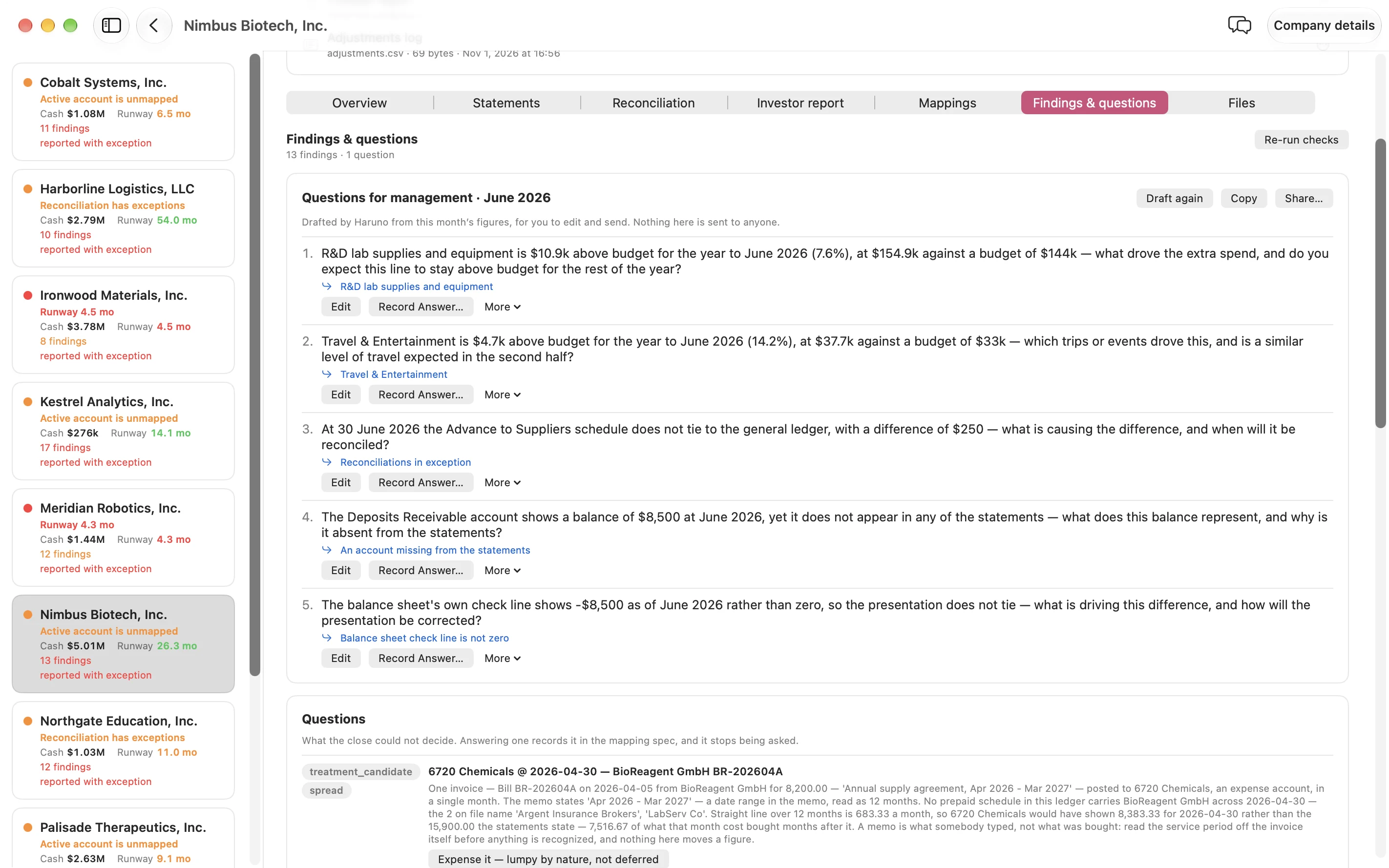
Every close checks the books before a number is reported. Each problem comes with its amount and what it means.
1450 Deposits Receivable holds a balance that appears on no statement.
Integrity findings
Accounts missing from the statements, and balances that don’t tie.
Reconciliations
Every balance-sheet account against its supporting detail.
Variance explanations
A sharp move against recent months, with the vendors and invoices behind it.
Questions for management
Drafted after each close, for you to review and send.
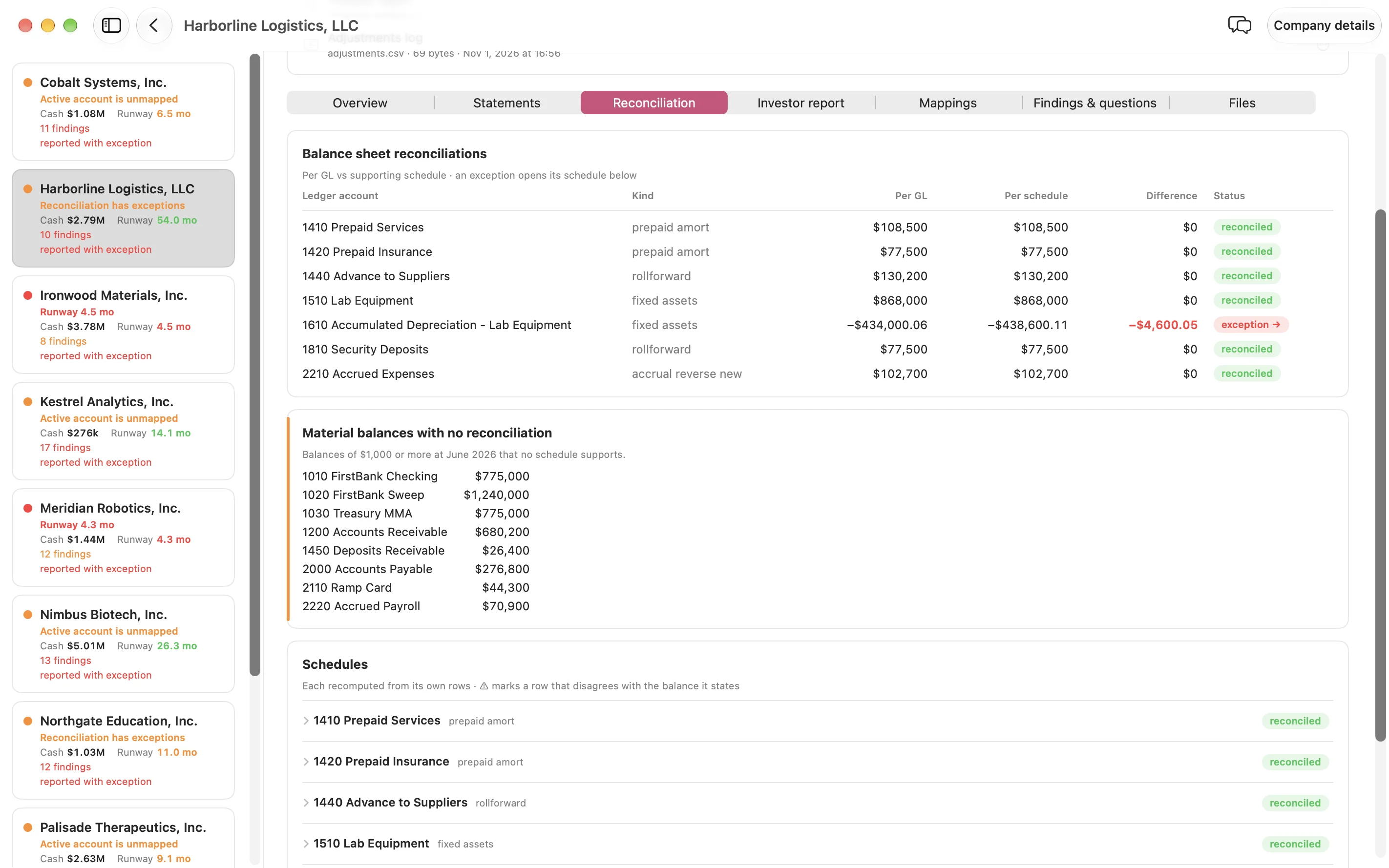
Haruno tests whether the figures tie to each other and to the ledger. It is not an audit and gives no opinion. The judgment and the sign-off stay with you.
06Ask Haruno
Ask about any figure. Get answers from the books.
The assistant explains figures, findings and changes in plain language. It answers from each company’s books and says which month they run through.
Which companies have less than 12 months of runway?
Why did this company’s spending rise this month?
Draft an email to the CFO about the open findings.
- Ask Haruno on a card puts the question in the chat. Nothing is sent until you send it.
- Closing, reopening and approving stay with you.
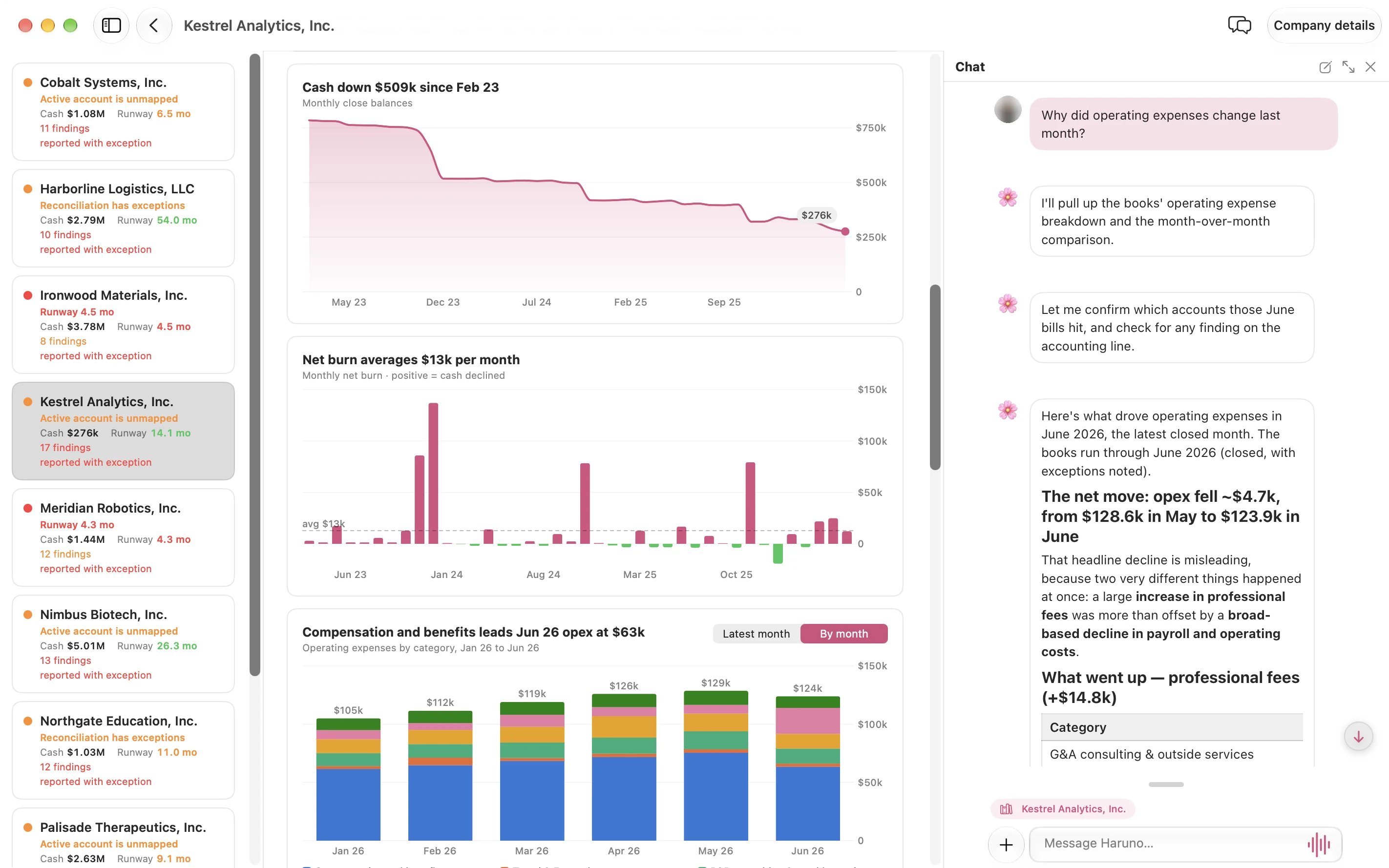
Four languages: English · 日本語 · 繁體中文 · العربية
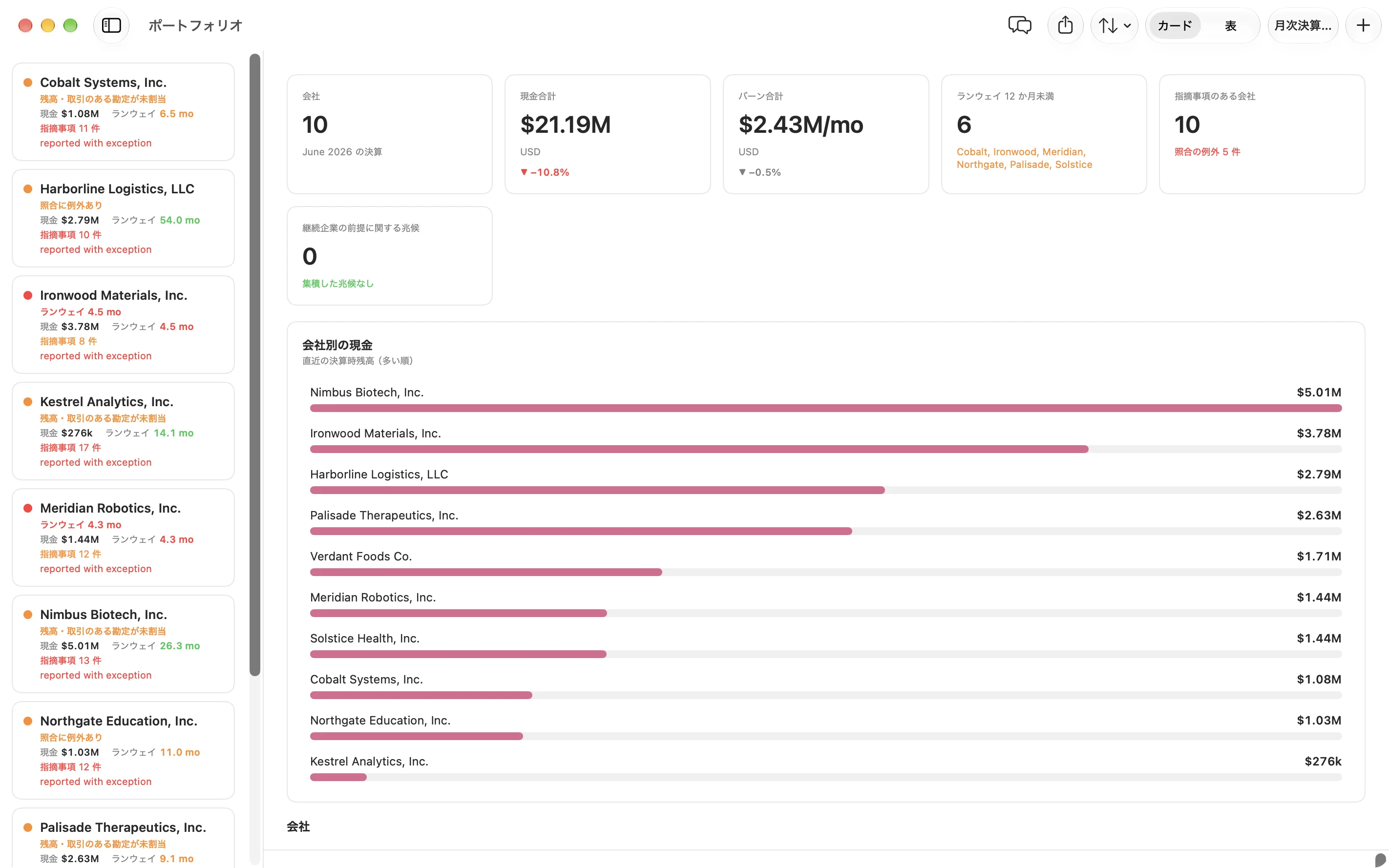
Menus, messages and the assistant’s replies follow the language you choose. Need another language? We can add it.
07Reports
From the close to the board pack.
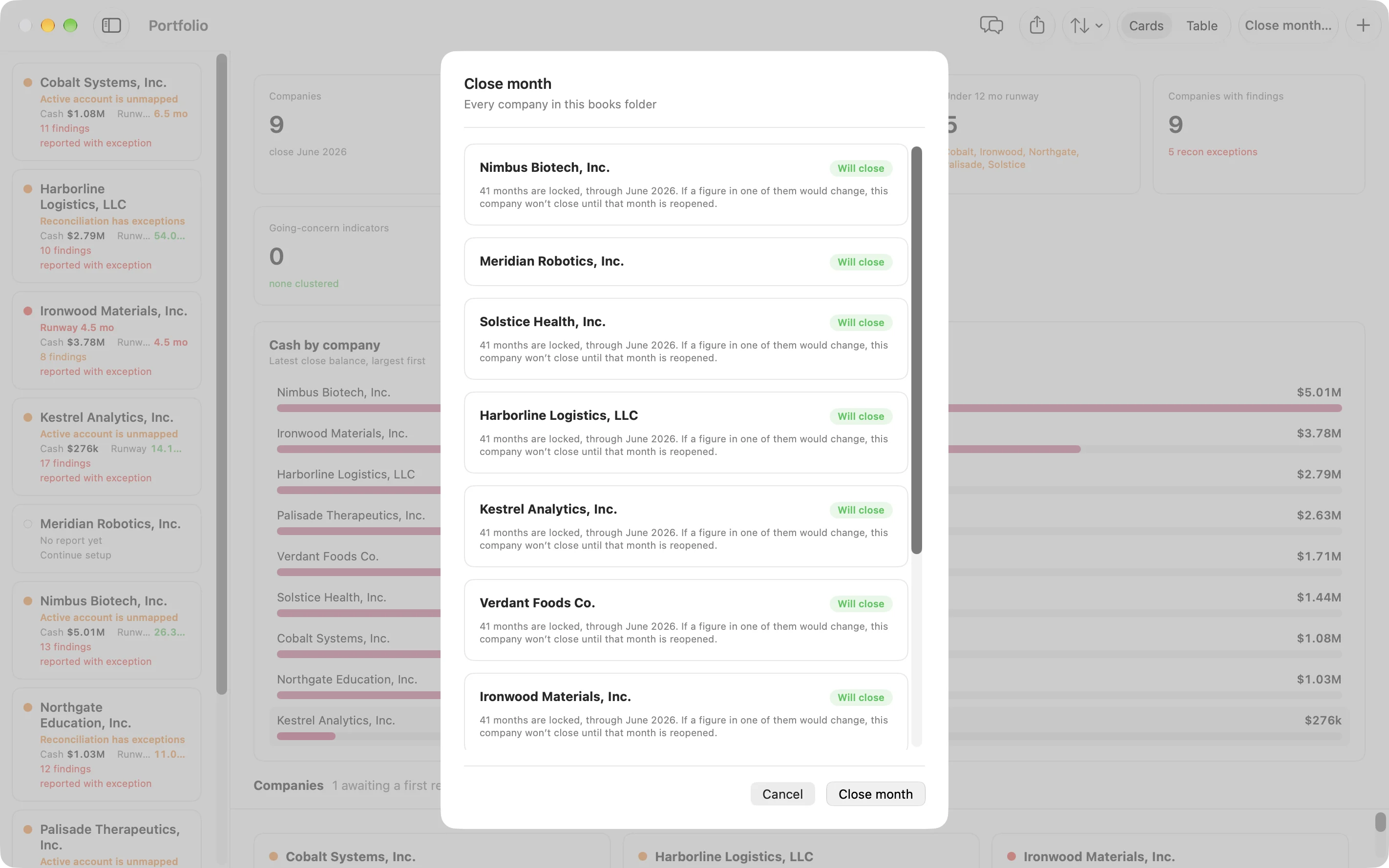
Every close prepares four reports. Review them in the app and export each one as a PDF.
For your team
Portfolio report
Every company on one page, with cash, burn, runway and open findings.
Statement package
Monthly statements
Balance sheet and P&L for every month, with cash flows and a trial balance.
Reconciliations
Balance-sheet binder
Each balance-sheet account against its supporting detail.
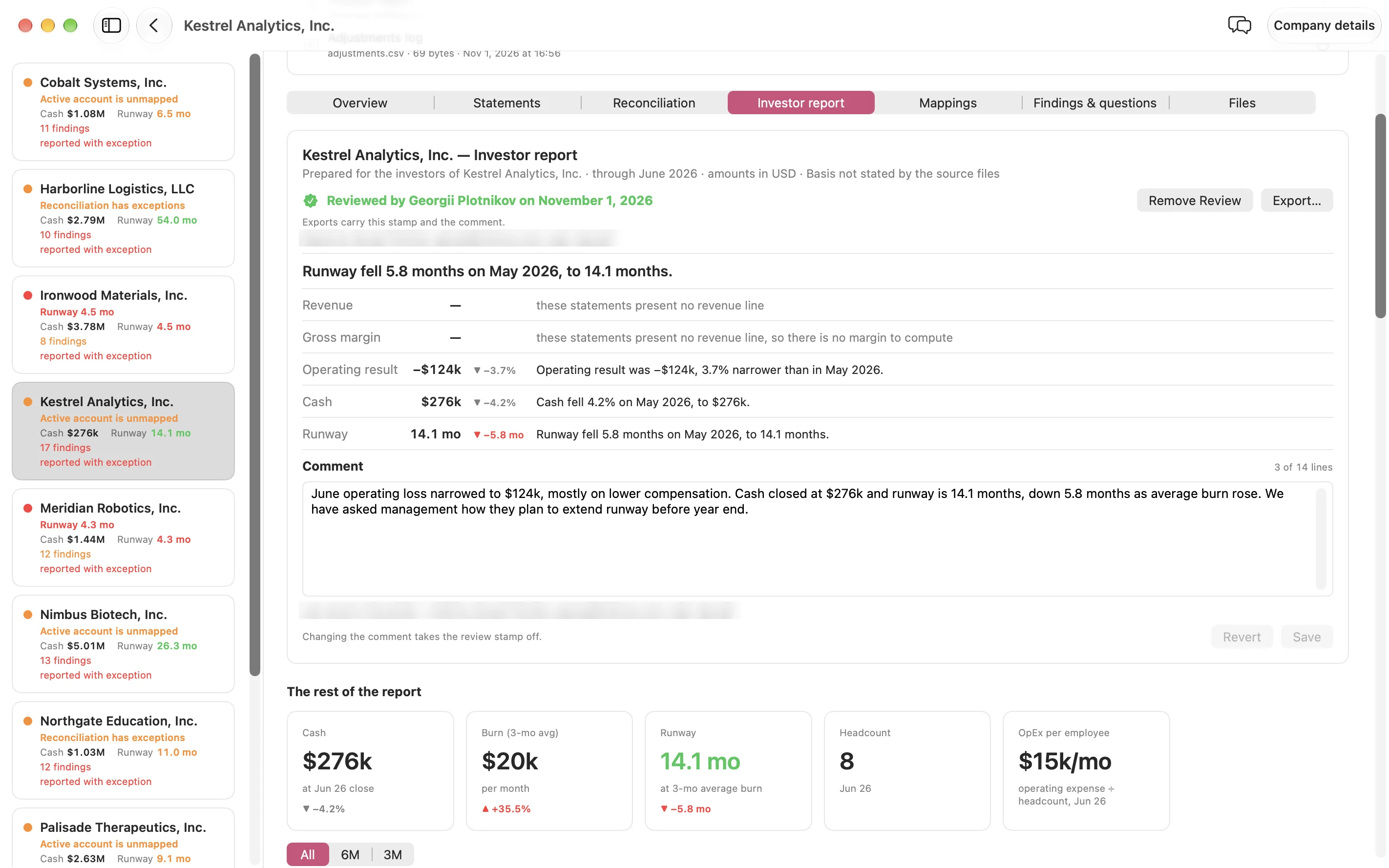
For investorsYour comment
Investor report
Cash, performance and solvency. Marked draft until you review it.
For your firm
Reporting built around your board
Every firm reports differently. We set up reporting specific to yours, in the format your board expects.
09Get started
One price per company. Set up with you.
- See it on a sample portfolio
We walk you through Haruno with fictional companies and answer your questions.
- Install and connect
Install Haruno on Mac or Windows. Connect QuickBooks Online or add exports.
- Set up each company together
We confirm each company’s reporting rules with you and support you directly.
georgii@inferara.com
Tax included. Every feature is included.
- Setup and direct support from our team
- QuickBooks Online sync and file imports
- Automatic account mapping
- Balance-sheet reconciliations
- Findings and variance explanations
- MRR, churn, deferred revenue and other investor metricsMRR, churn and other investor metrics
- A lock on every reported month
- Portfolio report, statement package and investor reportPortfolio, statement and investor reports
- An AI allowance for questions and drafts
Custom reporting, private model hosting or on-premises: .
Who builds Haruno
An R&D company with roots in academia. Our background is mathematics. Alongside Haruno, we build Inference, a programming language and toolchain for formal specifications and machine-checked reasoning. We have ongoing projects with the Stellar Development Foundation, and we have done private economic modeling for a Japanese trading company. Haruno applies the same discipline to finance: clear rules, results you can reproduce, and limits stated up front.

Haruno won 3rd place, the Bronze Award for AI Application, International Company, at Taiwan’s 2026 Best AI Awards. We entered as Vibe-Checker, Haruno’s earlier name. Watch on YouTube: from Vibe-Checker to Haruno
Screenshots show fictional companies and illustrative figures. QuickBooks and QuickBooks Online are trademarks of Intuit Inc. Haruno is not affiliated with or endorsed by Intuit. Stripe is a trademark of Stripe, Inc.
georgii@inferara.com